

Getting the right colour out of a printer isn’t always as simple as choosing a colour on your computer and pressing print.
Different materials can produce very different results, which is why ICC profiling is such an important part of professional printing.
In simple terms, ICC profiling helps you get the colours you want based on the material you are printing onto. Whether you’re working with vinyl, textiles, transfer paper or another material, the aim is to get the printer producing colours as accurately and consistently as possible.
At AM.CO.ZA, the process is being taken a step further with InkRIP software, which is being used with many of the company’s machines.
The idea behind the training is also to help users understand what is happening when colours don’t come out as expected. Instead of simply blaming the printer, you can understand why the colours have changed and when adjustments need to be made.
The printer’s “eye”
One of the most interesting parts of the process is the spectrometer.
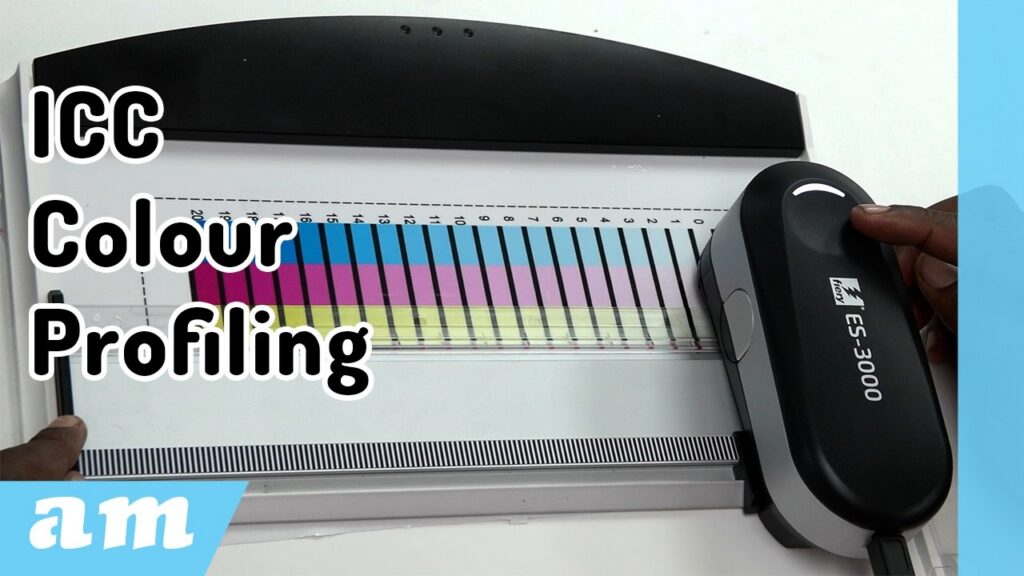
The spectrometer measures the colours produced by the printer and sends that information back to the software. A simple way of looking at it is to think of the spectrometer as the printer’s eyes.
It looks at what has actually been printed and compares the result with what is expected. The software can then use that information to make adjustments.
For the training, AM.CO.ZA uses an i1Pro 3 spectrometer, which is used to measure the printed colour charts during the profiling process.
Creating the profile
The process starts inside InkRIP’s colour management section, where a new profile is created.
There are a number of settings to work through, including the print resolution, colour order and the type of material being used. Materials can include PP, flex, textiles and transfer paper, while custom materials can also be added.
The print resolution is another important consideration. For example, a six-pass profile at 720 × 720 dpi can provide a balance between print quality and printing speed.
Once the basic settings have been selected, the profile is given a name and the process can begin.
The first charts are printed and then measured using the spectrometer. This is where the printer starts getting feedback about what it is actually producing.
The spectrometer scans each section of the chart and sends the readings back to InkRIP. When a scan is successful, the system confirms it. If something goes wrong, the software indicates which scan line needs to be measured again.
Once all the readings have been completed, the data is saved and loaded back into the profile.
This is where you start seeing the effect of the process. The software can adjust the ink percentages based on what the spectrometer has measured.
A new chart can then be printed and compared with the original.
It’s not always about using more ink
One of the important lessons during the process is that more ink doesn’t necessarily mean a better print.
This becomes particularly important when working with materials such as vinyl. You want enough ink to produce a strong, attractive colour, but not so much that the ink starts to pool, drip or cause other problems.
The process allows the operator to make adjustments to individual colour combinations and then print another chart to see the difference.
It’s a bit of a balancing act.
You are looking for a result where the colours are strong and pleasing to the eye, while still making sure the ink is behaving properly on the material.
And there isn’t necessarily one single “perfect” result.
What looks right to one person may not look quite right to another. One setting might produce richer, more concentrated colours, while another might use less ink and dry faster.
That’s why being able to go back, make an adjustment and print again is such an important part of the process.
Linearisation and the final profile
Once the initial colour adjustments have been made, the process moves on to linearisation.
More charts are printed and measured, with the software using the results to refine the colour output even further.
The spectrometer is used again to measure the printed charts, and the readings are fed back into InkRIP.
Eventually, the software generates the ICC profile.
Once the profile has been created, it can be selected when preparing artwork for printing. From there, the printer can use the profile to produce colours based on the settings and material for which it was created.
The finished profile can then be tested by printing artwork and checking whether the results match what you were looking for.
Learning to create your own profiles
As the demonstration shows, creating an ICC profile involves quite a few steps. There is a combination of software, printing, measuring, adjusting and testing involved.
That’s why AM.CO.ZA’s Ambitious Academy offers training aimed at teaching users how to create their own profiles for different materials and applications.
The course covers the process using the company’s own equipment and can include applications such as DTF, eco-solvent and sublimation printing.
The biggest takeaway is that ICC profiling isn’t simply about pressing a button and expecting perfect colour. It is about understanding your printer, your ink and the material you are printing onto, and then using the available tools to get the best possible result.
Once you understand the process, you have much more control over your colour output — and you can create profiles specifically for the materials and results you want.
For more information about the equipment and courses available through Ambitious Academy, visit AM.CO.ZA.
As the team at AM.CO.ZA puts it:
“We sell machines for you, we fix machines for you, and we teach machines for you.”