

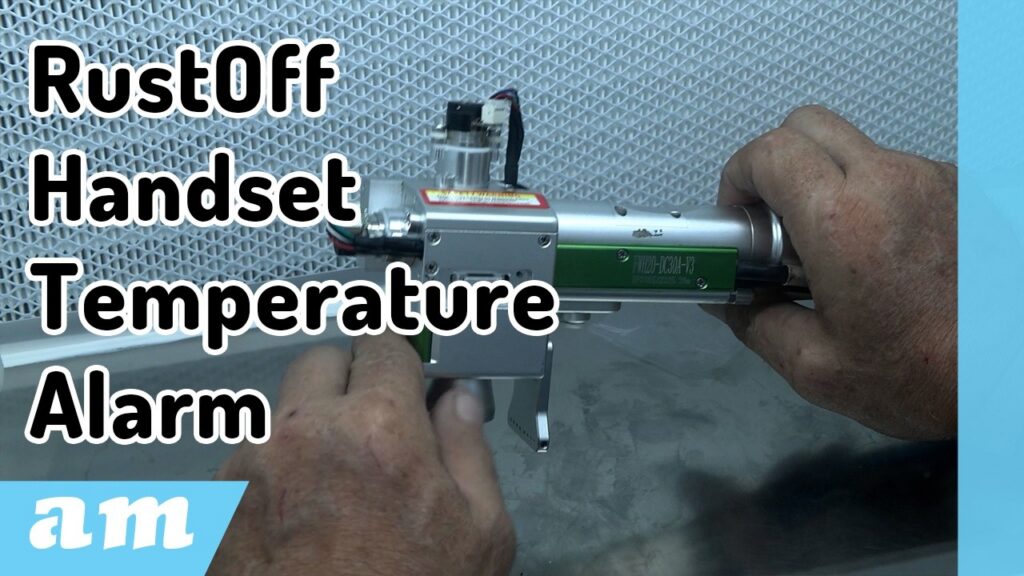
When the handset temperature alarm goes off on your LaserMaster RusttOff or Versatile machine, it’s usually a sign that something isn’t quite right. The machine is designed to cool down quickly — often in just a few seconds — but that doesn’t mean you should ignore the warning. In most cases, it points back to maintenance that’s been skipped or overlooked.
The first thing to do is switch the machine off. Don’t try to push through it. From there, start with the basics: check the protection lens and the focus lens. These are often the culprits. If they’re dirty, give them a proper clean. If you spot any cracks, burn marks, or other damage, it’s best to replace them straight away.
Now, if you notice that the focus lens is burnt around the edges, that’s usually a sign that your laser alignment is off. To fix this, remove the laser cap and lower the power on the machine for safety before continuing.
A simple trick here is to place masking tape over the nozzle. This helps you see exactly where the laser is hitting. Ideally, the beam should sit dead centre. If it’s noticeably off, then your X and Y motors likely need attention. At that point, switch everything off again, remove the covers, and take out the motors so you can inspect them properly.
Try to do this in a clean, dust-free space — it makes a big difference. When you open up the handset, you’ll find internal lenses. Sometimes a quick clean is enough, but in other cases, a replacement is unavoidable. Before putting anything back together, make sure you clean all the internal chambers thoroughly using pure alcohol. Any leftover dirt or burnt residue can cause problems down the line.
Once everything is clean, you can start reassembling. Pay attention to the lens orientation — the arrows should face towards the motor side of the handset. The focus lens holder is designed to fit in one way only, so it should slide in without forcing it. After that, put the protective lens holder back in place.
With everything back together, you’ll need to fine-tune the alignment. Again, use masking tape over the nozzle and aim to get the largest possible circle within the nozzle diameter. Adjust the red laser by carefully moving the motors until it’s perfectly centred. Then run the machine to check the working diameter.
What you’re looking for is a clean, even circle. If it looks slightly oval, you’ll need to tweak the machine’s parameters until it becomes properly round. Once that’s sorted, go back to the red light, make any final adjustments, and lock the motors in place.
Put the covers back on and run a few tests. Under normal conditions, your machine should settle at around 40°C. If it’s holding steady there, you’ve done the job right.
Keeping up with this kind of maintenance isn’t just about avoiding alarms — it helps prevent costly damage and keeps your machine running the way it should. If you’d rather have it handled professionally, am.co.za offers a full lens cleaning service through their dedicated lab, along with replacement lenses, cleaning liquids, and accessories.
At the end of the day, it’s about keeping your machine reliable and your workflow uninterrupted — and that comes down to staying on top of the small things before they turn into big problems.
In a time where AI and smart technologies are transforming industries, AM.CO.ZA has emerged as a leader in CNC routers and printing machines. With more than 11 years of experience, they offer a diverse range of advanced products, including CNC Routers, Large Format Printers, Vinyl Cutters, Laser Cutters, Plasma Cutters, and DTF Printers. Their solutions serve a wide array of sectors, from manufacturing and engineering to the creative arts.
Machines, Consumables and Parts Available from https://buythis.co.za/
For more info on Advanced Machinery visit https://am.co.za/
Subscribe to AM.CO.ZA’s YouTube Channel: https://www.youtube.com/@AchievementMatters?sub_confirmation=1
Chat with us by sending “hi” on WhatsApp to 060 600 6000.