

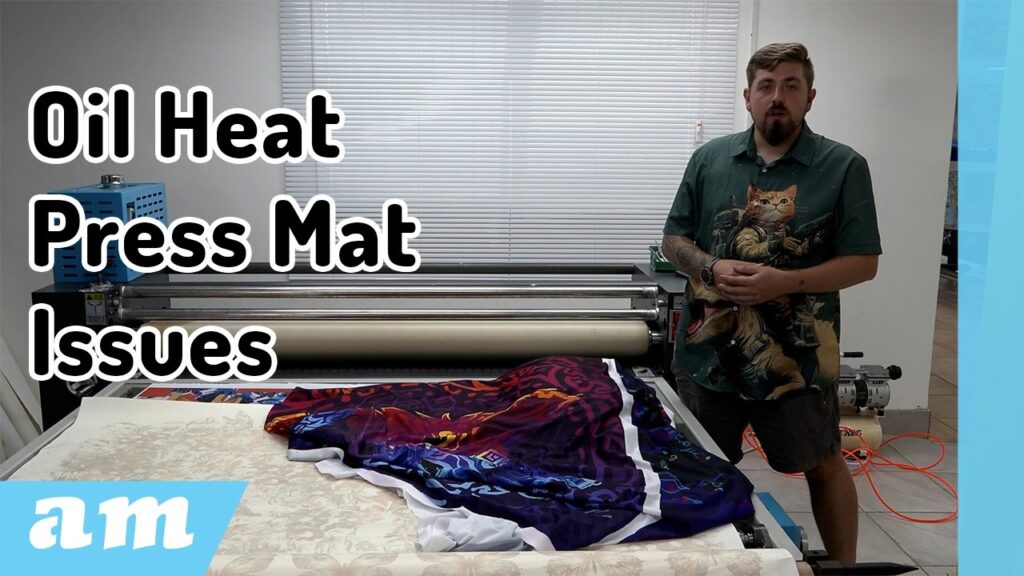
If you’ve been working with a roll-to-roll heat press like the Roller Heat Press, you already know how powerful it can be for high-volume sublimation. But like any machine, getting consistent, high-quality results comes down to correct setup — and one of the most important (and often overlooked) factors is mat tension.
In this guide, we’ll break down how to properly tension your press, fix common issues like the “smiley effect,” and share practical tips to improve your overall print quality.
Understanding the Problem: The “Smiley Effect”
One of the most common issues in roll heat pressing is what’s known as the smiley effect.
This happens when:
- The centre of the mat is looser than the edges
- The material and paper are pulled unevenly through the press
- The result is a curved distortion in the print — resembling a smile
Because the mat tension is inconsistent, the material stretches unevenly, causing misalignment and poor ink transfer.
Step 1: Adjusting the Mat Tension
Your machine is equipped with tensioning wheels on both sides. These control how the mat moves forward or backwards.
- Turn both sides equally to maintain balance
- Tightening stretches the mat forward
- Loosening brings the mat back
The goal is simple:
👉 Keep the mat flat, straight, and evenly tensioned
If the mat is skewed or uneven, your prints will be too.
Step 2: Use the Reinforced Tensioning Bars
The Roller Press includes reinforced front and rear tensioning bars, designed to handle the stress of stretching the mat.
- The front bar helps flatten the mat as material enters the press
- The rear bar allows for additional adjustment and fine-tuning
These bars are critical for:
- Eliminating wrinkles
- Preventing creases
- Ensuring smooth material flow
Keep in mind: achieving perfect tension can take time — sometimes hours or even days of gradual adjustment, especially with frequent use.
Step 3: Fixing the Smiley Effect
If you notice the smiley effect:
- Loosen the mat slightly
- Turn the tensioning wheel to the left to bring the mat back
- Lock the adjustment using a shifting spanner
- Repeat the same adjustment on the opposite side
Consistency is key — always mirror your adjustments to maintain balance.
Material Matters: Adjust Tension Accordingly
Different materials behave differently under heat and tension. Understanding this will dramatically improve your results.
Stretchy Materials (e.g., fabrics)
- Require maximum tension on both paper and material
- Without tension, the material stretches unevenly
- Leads to smileys and white “blind spots” (areas with no ink transfer)
Non-Stretch Materials (e.g., banner)
- Require less mat tension
- The material won’t deform, so over-tensioning isn’t necessary
Thick, Rigid Materials
- Focus on paper tension instead
- If the paper shrinks faster than the material, it can fold
- This causes straight white lines with no ink transfer
Preventing Common Print Defects
1. White Lines (No Ink Transfer)
- Caused by paper shrinkage or folding
- Solution: Ensure proper paper tension and smooth feeding
2. Vertical Lines in Prints
- Usually user error
- Happens when paper is fed unevenly (especially with two operators)
- One side enters faster → paper twists → folds form → خطوط بلا حبر
👉 Solution:
Feed material evenly and ensure both sides move at the same speed.
Don’t Ignore Paper Condition
Freshly printed sublimation paper often contains moisture from liquid ink, causing it to:
- Warp slightly
- Develop small waves or bumps
If you feed this directly into a tightly tensioned press:
- The press acts like an iron
- It forces creases into the paper
👉 Solution:
- Loosen the mat slightly
- Allow the paper to flatten gradually as it feeds through
Pro Tips for Best Results
- For long production runs:
👉 Maximise mat tension for consistency - For short runs or single pieces:
👉 Reduce tension slightly for flexibility - Always ensure:
- Even tension on both sides
- Smooth, flat material entry
- Proper balance between material and paper tension
Final Thoughts
Mastering mat tension on your roll heat press is the difference between inconsistent results and professional-quality output. While it may take time to dial in perfectly, the payoff is worth it — cleaner prints, fewer defects, and greater efficiency.
With the right adjustments and a solid understanding of how materials behave, you’ll unlock the full potential of your machine and stay ahead of the competition.
Keep experimenting, keep testing — and most importantly, keep printing.
In a time where AI and smart technologies are transforming industries, AM.CO.ZA has emerged as a leader in CNC routers and printing machines. With more than 11 years of experience, they offer a diverse range of advanced products, including CNC Routers, Large Format Printers, Vinyl Cutters, Laser Cutters, Plasma Cutters, and DTF Printers. Their solutions serve a wide array of sectors, from manufacturing and engineering to the creative arts.
Machines, Consumables and Parts Available from https://buythis.co.za/
For more info on Advanced Machinery visit https://am.co.za/
Subscribe to AM.CO.ZA’s YouTube Channel: https://www.youtube.com/@AchievementMatters?sub_confirmation=1
Chat with us by sending “hi” on WhatsApp to 060 600 6000.