

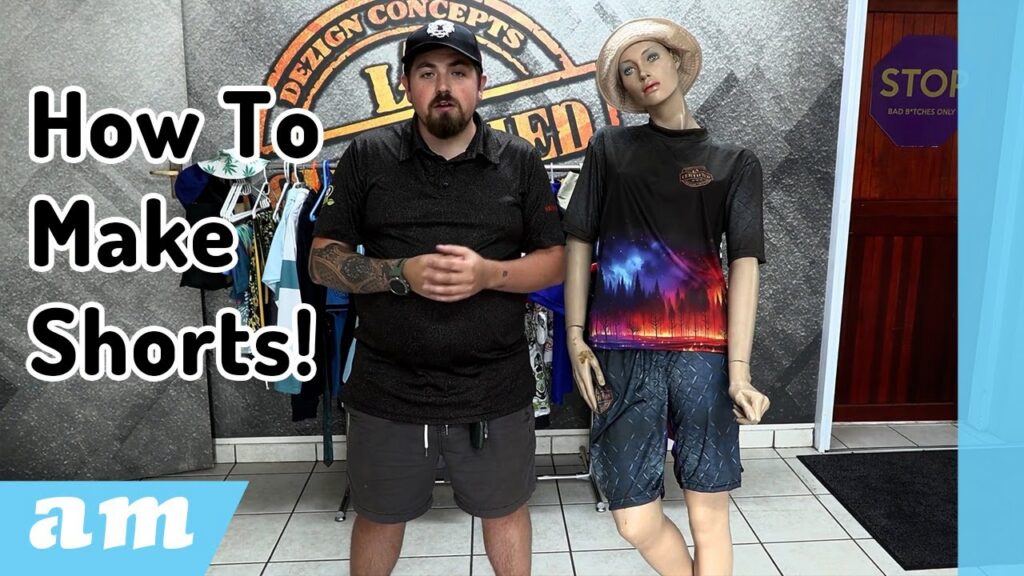
After receiving a great response to our previous video where we created a complete T-shirt for Betsy the mannequin, we’re back with another full start-to-finish project. This time, we’re making a custom-designed pair of sublimated shorts — from choosing the pattern, preparing it for print, setting up the artwork, and arranging the final layout for production.
Whether you’re new to sewing patterns or already experienced in Photoshop-based garment layout, this guide breaks down each step so you can follow along easily.
Watch video on YouTube: https://youtu.be/_I1gdIDMTgs?si=jhfUdPFteZ_96cmM
1. Choosing and Downloading a Digital Pattern
We start on Etsy, the same place we found our T-shirt pattern. Before purchasing any digital pattern, make sure of the following:
✔ Confirm It’s a PDF Pattern
On the listing, look for “Digital file type: PDF.”
A PDF pattern is ideal because it allows you to open, edit, or extract the pieces easily for sublimation workflows.
✔ Check the Available Sizes
Always ensure the size you need is included. Some patterns look excellent but don’t include your required size. Otherwise, you may have to request a custom size from the seller later.
Once confirmed, simply add the pattern to your basket, sign in, purchase, and download all the files.
2. Opening Locked PDF Patterns
Some PDF patterns arrive with password protection. If the seller hasn’t sent you the password yet and you’re eager to move forward, you can work around it by:
- Opening the locked PDF in your browser (e.g., Google Chrome).
- Clicking Print, then changing the printer to “Save as PDF.”
- Saving a new, unlocked copy of the pattern.
This gives you a workable PDF you can bring into Photoshop without needing the original password.
3. Working With A4 vs. Full-Size Pattern Files
Patterns often include two versions:
- A4 tiled pages — small pieces you must manually reassemble
- A single full-size sheet — already assembled and ready to work with
If the full-size version exists (as in our case), use it — it saves time.
If only A4 tiles are provided, you’ll need to manually drag each tile into a large canvas and align them like a puzzle, using the numbering system printed on each page.
4. Preparing the Pattern in Photoshop
Once the full pattern is open, add a white background layer to make the lines easier to see. Then identify all the components:
- Waistband
- Inner pockets
- Left and right legs
- Pocket linings
Next, open the instruction file that comes with the pattern to confirm how many pieces of each component you’ll need. In our case:
- 4 pocket pieces
- 2 front leg pieces (mirrored)
- 2 back leg pieces (mirrored)
- 1 waistband (folded)
The instructions help ensure no panel is misinterpreted before start tracing.
5. Creating a Print-Ready Pattern Layout
Open a new Photoshop document sized for your sublimation printer output — for example:
1.5 m wide × 2 m tall
This gives you room to move and arrange the panels.
Tracing the Pattern
Create a new layer for each pattern piece, such as:
- Large Front Panel
- Large Back Panel
- Pocket Piece
- Waistband
Use a red paintbrush to trace the outlines for the chosen size (we chose Large, matching Betsy’s dimensions). Trace each line carefully and repeat the process for all pattern pieces.
Mirroring Panels
Most shorts require mirrored left and right components. To create them:
- Duplicate the traced panel
- Flip horizontally
- Rename each piece (e.g., “Left Front”, “Right Front”)
This prevents the common mistake of accidentally stitching panels backwards.
6. Organising the Layout for Printing
After tracing and separating all pieces:
- Rotate panels into the most space-efficient orientation
- Group similar pieces (e.g., Front Panels, Back Panels, Pockets, Waistband)
- Duplicate pocket pieces until you have four
- Mirror the pairs that need left/right sides
This produces a clean, production-ready pattern sheet.
7. Transferring Artwork From the Previous T-Shirt Design
We wanted the shorts to match the T-shirt we previously created — same carbon fibre texture, same forest imagery, same aesthetic.
So we opened the prior T-shirt Photoshop file and pulled its design layers into our shorts layout.
Pockets
Although pockets are traditionally white, sublimation allows full creativity.
We filled our pockets with:
- The same grey base colour
- A carbon fiber overlay
- Layer cuts to ensure artwork fits exactly within each pocket shape
Each pocket is cleanly clipped and styled to match the shirt’s interior texture.
8. Designing the Waistband
We imported the tree-line artwork from the T-shirt, flipped it upside down, and applied it to the waistband.
Important considerations:
- Waistband artwork should visually match the shirt width
- Only the upper part of the artwork was used — no trees sticking out visibly
- The waistband layer was darkened slightly using Brightness & Contrast to distinguish it from the main short pattern
The result: a balanced, stylish, upside-down continuation of the T-shirt theme.
9. Designing the Front and Back Panels
Before designing, we rotated the artwork so that the entire design sits upside down — giving the shorts a consistent transition from waistband to leg panels.
We then:
- Split the artwork into two halves
- Scaled each half proportionally
- Aligned them so the design flows naturally across the left and right panels
- Ensured angles and seams would meet cleanly when the shorts are stitched together
This step takes some trial and error, especially on the first attempt. Pattern testing is highly recommended before final print.
Final Thoughts
Creating custom sublimated shorts from a digital Etsy pattern is a rewarding process that blends sewing fundamentals with digital design. Once your workflow is set — tracing, mirroring, grouping, and designing — it becomes easy to reuse patterns for future customers.
From manipulating PDFs to assembling the artwork and preparing your print layout, every step contributes to a polished, professional final garment.
In a time where AI and smart technologies are transforming industries, AM.CO.ZA has emerged as a leader in CNC routers and printing machines. With more than 11 years of experience, they offer a diverse range of advanced products, including CNC Routers, Large Format Printers, Vinyl Cutters, Laser Cutters, Plasma Cutters, and DTF Printers. Their solutions serve a wide array of sectors, from manufacturing and engineering to the creative arts.
Machines, Consumables and Parts Available from https://buythis.co.za/
For more info on Advanced Machinery visit https://am.co.za/
Subscribe to AM.CO.ZA’s YouTube Channel: https://www.youtube.com/@AchievementMatters?sub_confirmation=1
Chat with us by sending “hi” on WhatsApp to 060 600 6000.